A familiar name, a phrase you use every day, a voice you choose. CommunicateIt!!! brings these choices into one communication workflow.
Different choices for different parts of your day
Languages for reading, speaking, and listening.
190+
Interface options
Choose the language for buttons, labels, and guidance.
110+
Speech input options
Language and regional choices for recorded speech, plus automatic detection.
400+
Cloud voices
Across 60+ output language and regional options for spoken messages.
Catalog snapshot from September 22, 2026, recorded in our company brand guide. Counts include regional variants and interface aliases; they are not counts of distinct languages. Catalogs can change, and not every option has been individually tested. Check the current choices in the app.
You stay in control
Prepare. Review. Then speak.
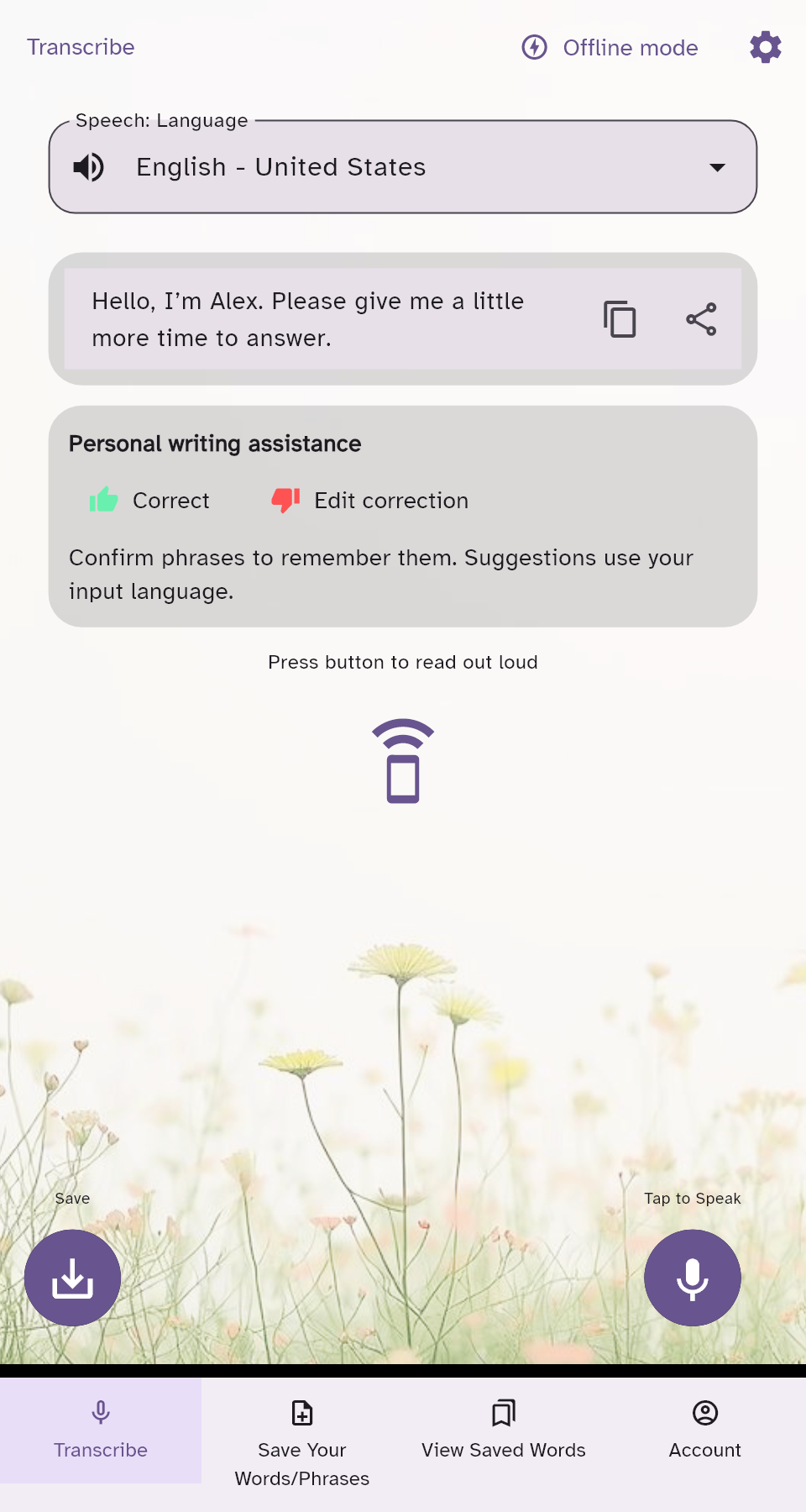
Type, paste, or record a message. After recording stops, your speech becomes editable text. Review it before playing it aloud or saving it.
You decide which words represent you. The current recording mode does not display a live word-by-word transcript.
Actual app screen with sample text. Plum theme and Atkinson Hyperlegible font.
What makes the experience personal
Tools that work together.
Writing assistance that remembers
Mark an incorrect transcript with thumbs down, edit it, then confirm the correction with thumbs up. Remembered corrections, preferred spellings, and phrase predictions help with later messages. For example, you can teach a preferred spelling such as Maryam. Suggestions remain yours to review; recognition is not guaranteed to be perfect.
Three independent language settings
Read the interface in one language, recognize speech in another, and choose a separate language and voice for playback. Message translation is a separate action: choosing a voice alone does not translate your words.
Familiar phrases, easier to find
Give messages recognizable titles, search your saved words and phrases, and tap a tile to expand the message. Edit, delete, copy, and play phrases without rebuilding them for every conversation.
A voice and pace you choose
Preview supported Google Cloud voices and adjust speaking speed, pitch, and volume. Voice options are separate from speech input settings. Cloud voice generation requires an internet connection.
Reading comfort built into the experience
Adjust text size, choose light or dark mode and high contrast, and personalize the app’s fonts, colors, and backgrounds. Core reading controls belong to both planned subscriptions.
Tools for life away from a connection
Advanced includes separate offline transcribe and saved-phrase pages on supported Android devices. Prepare compatible recognition languages and device voices while online. Offline speech and translation availability depends on installed resources; cloud voices are not downloaded for offline use.
Confirmed phrases are not sent to Google as speech-adaptation hints. Cloud transcription, translation, and voice playback still process the content you submit for those services.
Make room for your own way of communicating.
Explore the reading controls and plan details before you get started.